
Perpetual futures
Perps practice
Explore long and short paper trades with live market prices. Adjust leverage, compare order types, and understand how margin and costs affect a position.
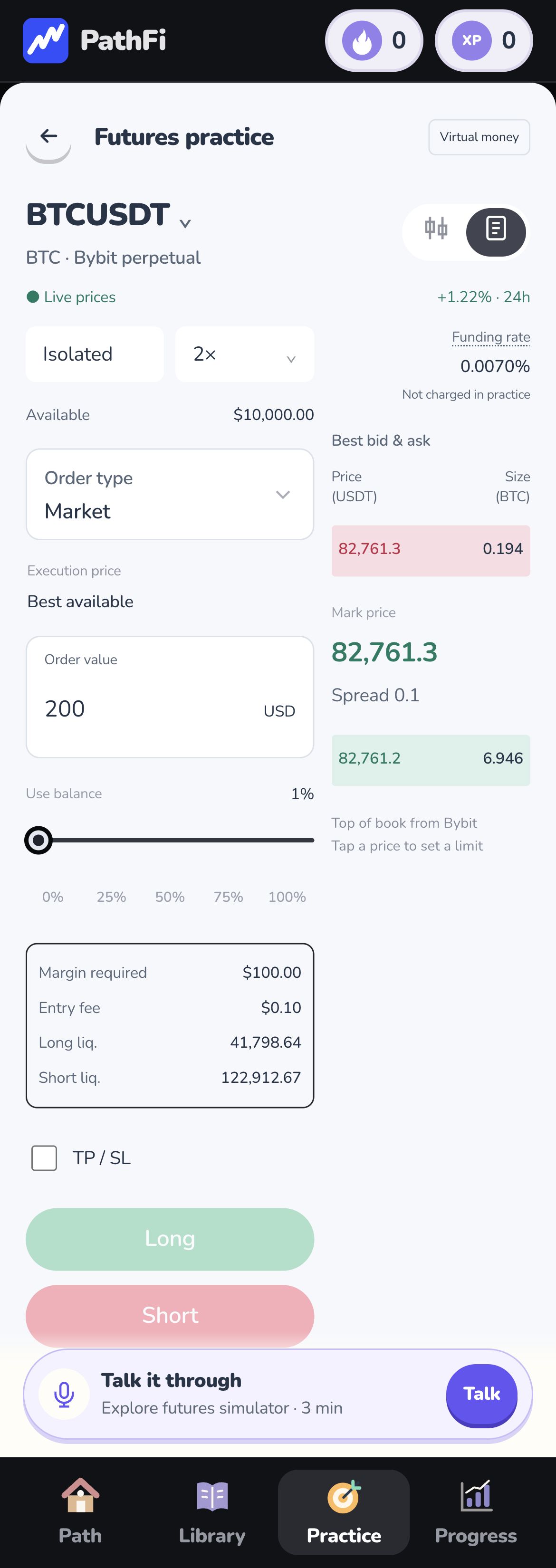
Live prices. Simulated orders and funds.
A little practice. A clearer path.
Turn “where do I start?” into your next step. Learn the basics, check your understanding, and put ideas into practice with virtual money.
Coming to the App Store.
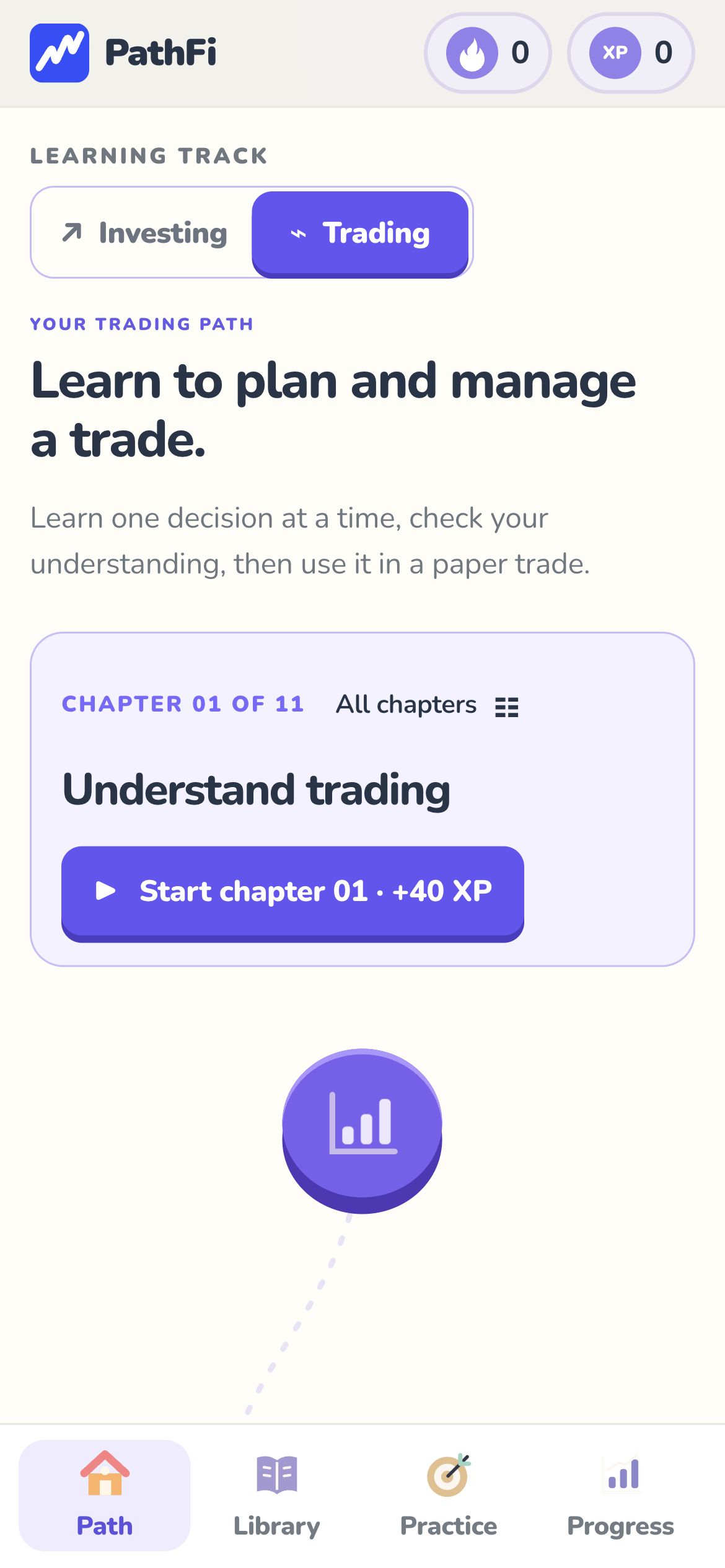
 One step at a time.
 Short lessons
 Guided practice
 Virtual money
Build understanding, step by step
Watching a tutorial is a start. PathFi gives you a place to put the idea to work.
Choose a trading or investing path. Work through a short lesson with clear explanations and visual examples.
Answer questions to check what you understand. Revisit the lesson when something hasn't clicked yet.
Explore investing, perps, and prediction-market exercises. Practice decisions using virtual money.
A place to put learning to work
Explore how different markets work, with virtual money and room to learn.
Perpetual futures
Explore long and short paper trades with live market prices. Adjust leverage, compare order types, and understand how margin and costs affect a position.
Live prices. Simulated orders and funds.
Event contracts
Explore YES and NO contracts in a fictional training market. Read the written resolution rule, compare cost and possible payout, and see how the scenario settles.
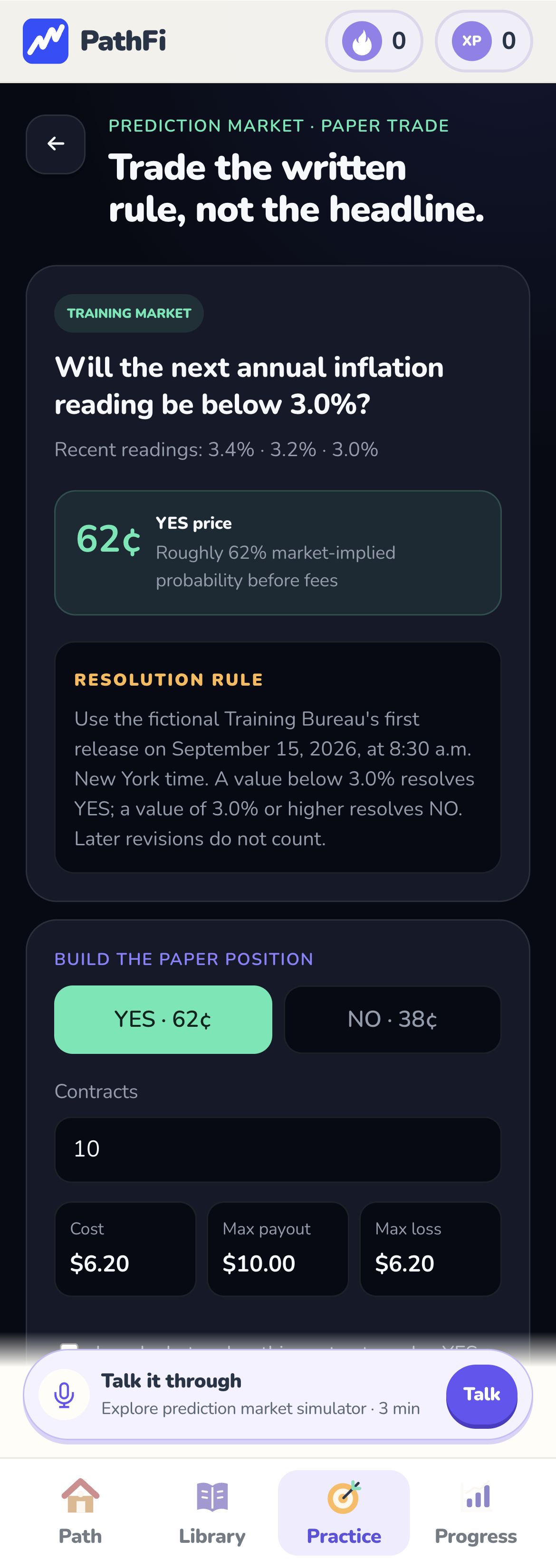
Fictional events. Virtual-money practice.
Tap a screenshot to enlarge. Actual PathFi screens; all practice balances and orders are simulated.
This is PathFi
Take a look at the actual app. A clear path connects the lessons to your practice.
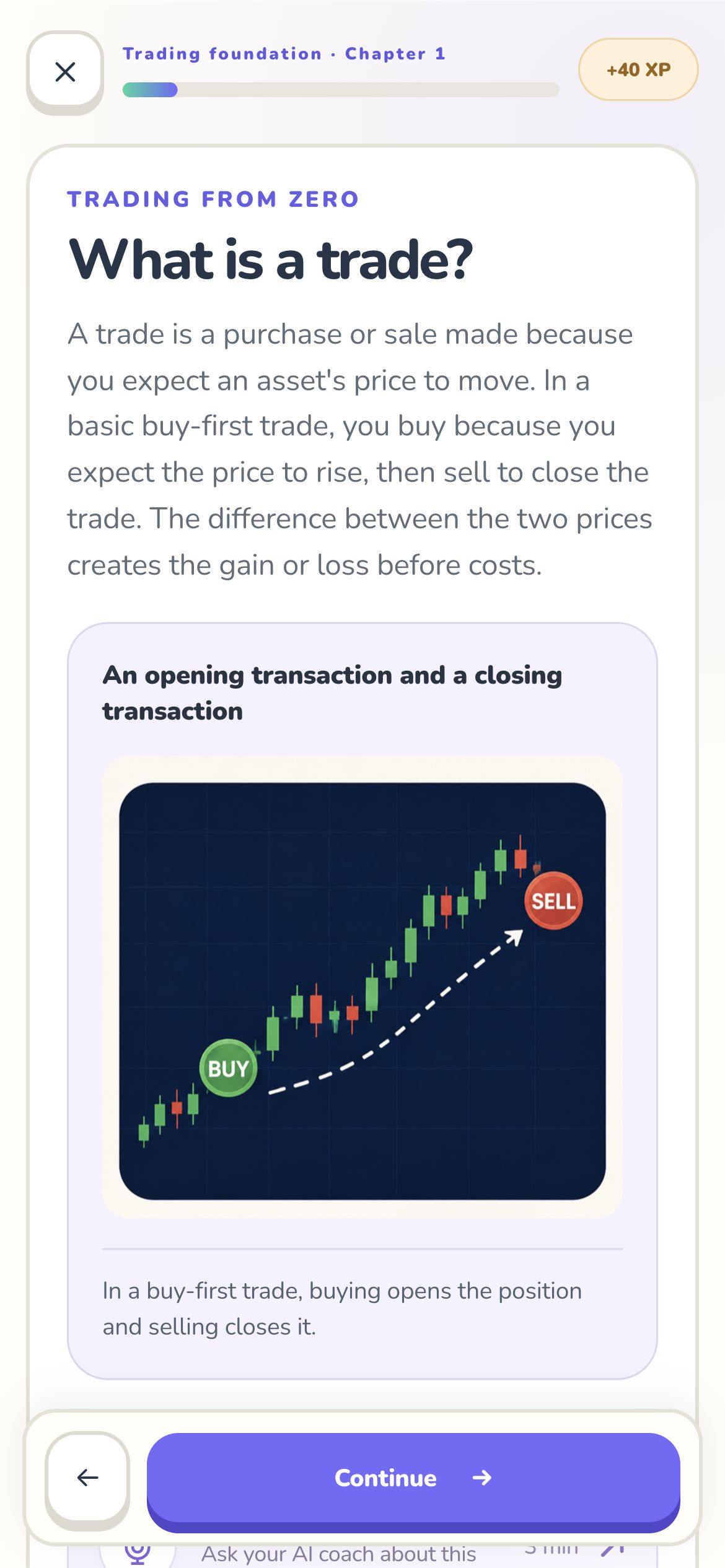
Actual PathFi screens · tap to enlarge
Before you begin
Yes. You can start with the basics of trading or investing and follow the learning path one chapter at a time.
Practice in PathFi uses virtual money. Simulated results are for learning and do not predict real trading or investing results.
Yes. Perps practice uses live market prices with simulated orders and funds. Prediction-market practice uses a fictional event to teach YES/NO pricing, position costs and written resolution rules.
Yes. Open PathFi on the web to explore the current learning experience.
The iPhone release is being prepared. The download button will link directly to the App Store once the listing is available. In the meantime, you can explore PathFi in your browser.
Your next step starts here
Coming to the App Store.